



HTX alternative: why traders choose Bitpanda
Trade on HTX? Get a deep selection on a platform built for Europe. 650+ coins, Fusion for fees from 0.02%, plus real stocks, ETFs, metals and staking.
Alternatives comparison? Done.
Compare the HTX alternatives, see what's different, and transfer your crypto from your wallet in minutes if you decide to switch.
Criteria | Bitpanda | HTX | Kraken | Coinbase | Crypto.com |
|---|---|---|---|---|---|
Home base | Vienna, Austria | Victoria, Seychelles | San Francisco, US | San Fransisco, US | Singapore, EU via Malta |
EU-regulated (MiCA) | Fully licensed (BaFin) | ✗ Not licensed | Licensed (Ireland) | Licensed (Luxembourg) | Licensed (Malta) |
Crypto offering | 650+ | ~700+ | ~550+ | ~250+ | ~350+ |
Leverage | |||||
Asset offering | Crypto, stocks, ETFs, metals, crypto indices | Crypto | Crypto, tokenized assets | Crypto | Regional product offering |
Free deposits and withdrawals for all methods | |||||
Staking | 40+ assets, weekly payouts Up to 14.86% APY on coins like ATOM, CHZ, and IOTA | ||||
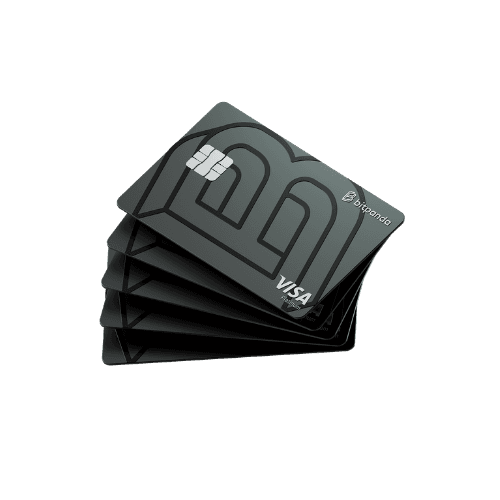
Spending card in EU | With cashback | ||||
Stablecoin yield | Up to 7 % APY on USDC | (Ended under MiCA) |
What you gain with Bitpanda
650+ cryptocurrencies, one licensed app
From Bitcoin to the newest listings, Bitpanda gives you 650+ cryptocurrencies on a fully licensed EU platform. Hold real stocks, ETFs, precious metals and crypto indices in the same account too. Your entire portfolio in one app, one wallet, with a single tax overview.
Fees from 0.02% with Fusion
Collect rewards every week across 40+ coins, with nothing tied up. Your ETH, SOL, DOT or ADA stays liquid; trade, move or withdraw it whenever you like.
Staking on 40+ assets, no lock-up
Put 40+ assets to work and collect rewards every week. Nothing locks up. your ETH, SOL, DOT or ADA keeps earning while staying free to move, sell or withdraw the moment you want it.
16 European licences
Bitpanda holds a MiCAR authorisation via BaFin, plus FMA, CSSF and 16 licences across Europe. Your assets sit under EU law, with the protections that come with it.
Up to 7% APY on your USDC
Don't let balances sit idle. Earn up to 7% APY on USDC with Bitpanda Earn, or steady returns on EUR through Cash Plus. Your money keeps working between trades.
Moving your crypto to Bitpanda: three steps
Here's how to get your portfolio from HTX into Bitpanda.
Create your Bitpanda account
1
Open a free account; most people clear verification in under 10 minutes. As soon as you're through, every supported coin gets its own deposit address across every network we support. No minimum deposit, no maintenance fees waiting to nibble your balance.
Grab your deposit address
2
In Bitpanda, open the coin you're bringing over and tap Deposit → Crypto deposit. Pick the network, ERC-20, Solana, BTC, whatever matches, and copy the address. Some coins (XRP, ATOM and similar) also need a memo or tag, so copy that too. Note the network carefully: it has to line up exactly with what you choose on HTX next.
Withdraw from MEXC
3
In the HTX app or on the web, go to Assets → Withdraw, select your coin, and paste the Bitpanda deposit address. Choose the matching network, review the amount and HTX's network fee, then confirm with email and 2FA.
Most transfers land in under half an hour. Incoming deposits are always free on our side. The only cost is HTX's withdrawal fee.
Switch to Bitpanda nowQuestions about moving to Bitpanda
Can't see your question? Head to Bitpanda Support or message the team.
Visit Bitpanda Support